The Part Nobody Wants to Hear First
Most streaming advice is written by people with affiliate links. The result is a lot of emphasis on gear that looks impressive in a thumbnail and very little emphasis on the things that actually determine whether someone stays in your stream past the first 30 seconds. This post is not that. This is built from actual experience setting up and iterating on a streaming workflow — what changed results and what did not.
Audio Kills Streams — Not Low-End GPUs
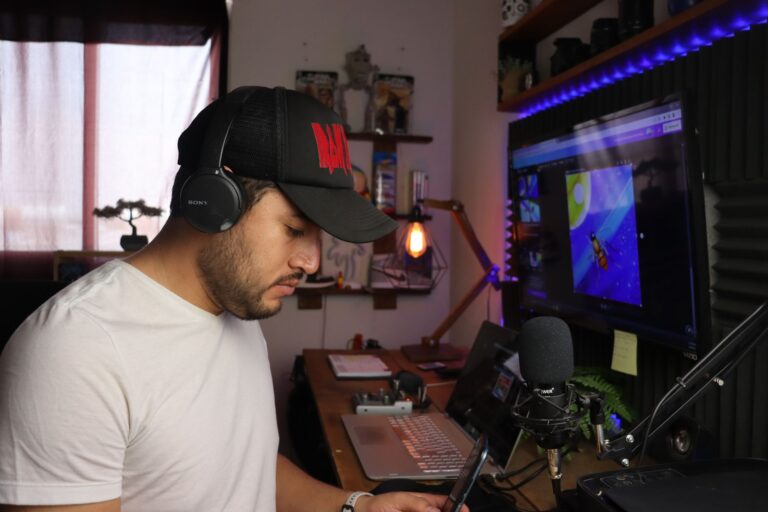
If you want to understand viewer retention, start with this: bad audio ends streams. Not low framerates. Not a 1080p camera instead of 4K. Audio. When someone lands on a stream and hears a tinny, distorted, echo-filled voice, they leave within seconds. It is a subconscious response — bad audio reads as unprofessional and uncomfortable before the brain even processes what was said.
You do not need an expensive microphone to fix this. You need a microphone that is not built into your headset or laptop. A basic USB condenser or a dynamic mic in the $60 to $100 range will outperform any built-in mic regardless of how much the headset cost. More important than the mic itself is placement and room treatment. A mic six inches from your mouth in a room with some acoustic dampening will beat a $300 mic across the room in a live-hard space every time.
Fix the audio first. Everything else is secondary.
The Camera Debate Is Overblown for Most Content
Camera on or camera off matters a lot less than the streaming advice ecosystem suggests — and it depends heavily on what you are streaming. For gameplay-focused content on Twitch, a facecam adds personality but does not drive retention on its own. For just-chatting, IRL, or commentary-heavy content, it matters more because the audience is there for you, not the game.
If you do use a camera, a basic webcam at 1080p in decent lighting is entirely sufficient. Lighting is the variable — a cheap ring light or a window to the side of your setup will make a $80 webcam look better than a mirrorless camera in bad lighting. Do not buy a camera to fix a lighting problem.
If you are not ready to be on camera, do not force it. A well-designed overlay, clear audio, and engaging commentary will build an audience. The camera can come later when it feels natural.
OBS Settings That Actually Work in 2025
The settings debate changes slightly each year as hardware and platform encoding specs evolve. Here is what is practical in 2025 for most streamers without high-end dedicated streaming PCs.
- Encoder: Use NVENC (NVIDIA) or AMF (AMD) hardware encoding if available. Software x264 encoding sounds better on paper but tanks game performance on mid-range systems. Use hardware encoding and tune the quality settings up from there.
- Bitrate for Twitch: 6000 kbps is the standard cap for non-partnered accounts. At 1080p60 this is workable. At 1080p30 it looks clean. Do not push higher expecting it to help — it will not reach viewers at that rate unless they have the connection for it.
- Bitrate for YouTube Live: More flexible. 8000 to 12000 kbps at 1080p60 is a solid target. YouTube handles higher bitrates better than Twitch for live content.
- Resolution: Stream at 1080p if your system handles it without frame drops. If you are dropping frames, go to 900p or 720p. A stable 720p stream looks better than a choppy 1080p stream every time.
- Keyframe interval: Set to 2 seconds. This is what Twitch recommends and it is correct for most setups.
Scene organization matters too. Keep your scenes clean, name them clearly, and use hotkeys for transitions. The technical quality of your stream breaks down fast if you are fumbling with scene switches during live content.
When to Actually Upgrade — and What That Decision Should Be Based On
The right time to upgrade is when you have identified a specific, measurable bottleneck — not when a new product launches or when someone in a Discord tells you that you need better gear. Here is the process that saves money and actually moves the needle.
Start by streaming with what you have. Gather at least 30 days of data. Look at average viewers, chat engagement, and clip performance. If growth is flat, ask whether it is a gear problem or a content problem. In most cases at the beginner and intermediate level, it is a content problem. More engaging commentary, better game selection, and consistent scheduling will outperform a hardware upgrade almost every time.
If you are getting viewer complaints about audio, fix the audio. If you are seeing frame drops in OBS logs, address the encoding settings before buying a new GPU. If your internet upload is below 5 Mbps, no amount of gear will fix your stream quality.
The upgrade path that produces results: microphone first, then lighting if you use a camera, then a dedicated stream PC or capture card if you are console streaming or your gaming PC cannot handle dual-encoding. Everything else — the fancy overlays, the RGB, the 4K camera — is polish on top of a foundation that has to exist first.
Build the foundation. Everything else follows from there.
Explore the Gaming and Streaming at SinfullSlinn at Sinfull Studios for more.
Related reading from Sinfull Studios
- Elden Ring in 2025: Is It Worth Starting If You Bounced Off It Before
- How Small Streamers Keep a Consistent Schedule Without Burning Out in Week Two
- Getting Started With Project Zomboid Build 42: What’s New and How Not to Die
- Gaming and Streaming in Regina
Based in Regina, Saskatchewan. Explore Gaming and Streaming or request a quote from Sinfull Studios.